Skip to content

Team Health Secret

  • Affiliate dept
  • CS team
  • Content team
  • Video team
  • Tech team
  • Home
  • CS team
  • How to reject refunded orders in Everflow

How to reject refunded orders in Everflow

October 30, 2023October 30, 2023 Tech

NOTE: The order may not be available in Everflow
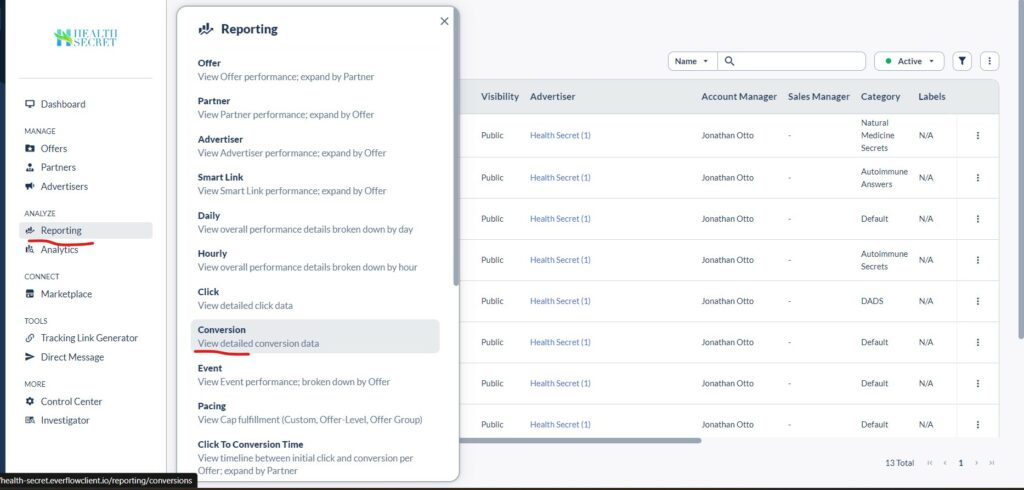
Got to the Everflow -> Reporting -> Convertion
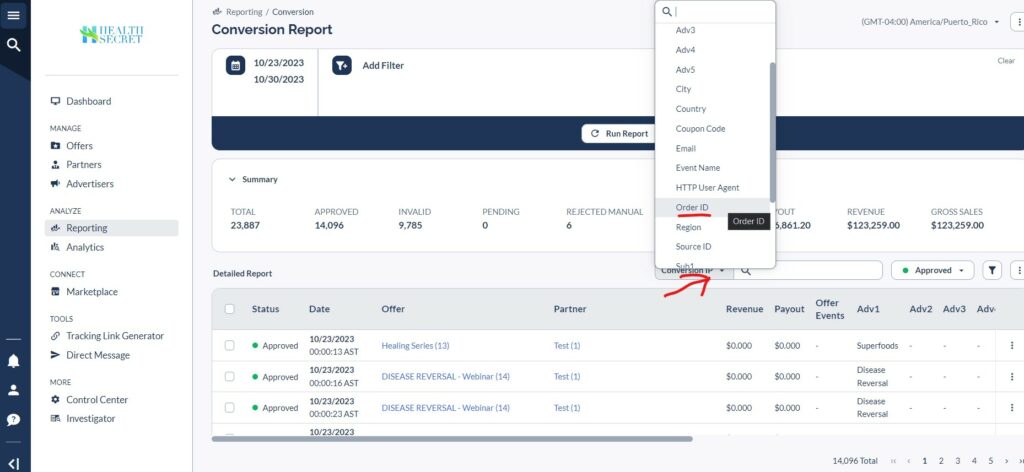
Select the Date Range and click Run Report

In the search bar, select the Order ID search to find the order you are looking for
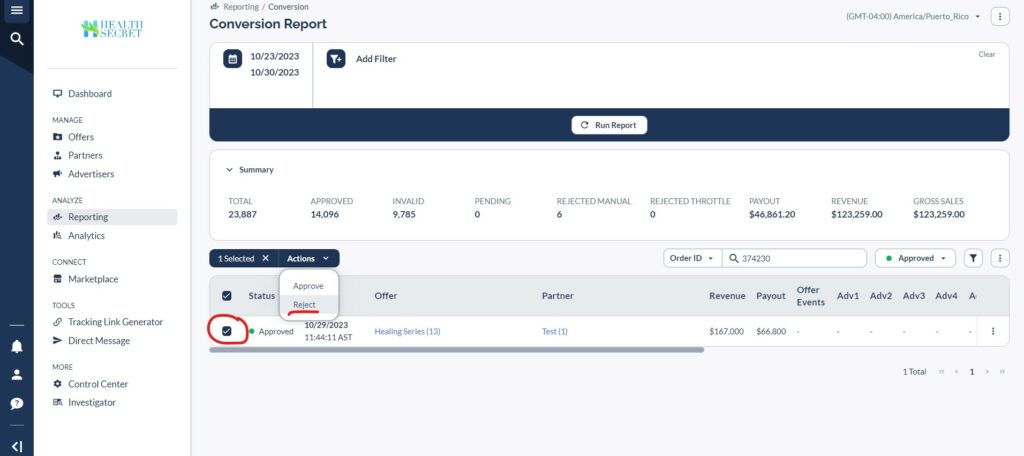
Check the box. Actions->Reject
Affiliate dept CS team Everflow Tech team

Post navigation

How to add Custom “Enable Sound” button to the video on Voomly
How to unsubscribe a user

Related Posts

How to get Suppression List

Go to the Reporting->Convesion Select the date range Add the Filter. Partner and Offer you need. Click the Run Report button Select ALL. Then click on the ellipsis->Eport->RAW Data CSV In the next window, leave only Email among the Selected ones Click Export That’s it. You have a Suppression List

How to create an invoice

Login to your Everflow account. Go to Partners->Invoices https://health-secret.everflowclient.io/affiliates/invoices Create a new invoice Select the Affiliate for which you want to create an Invoice. Select Time period. Check the box if you want the invoice to be hidden from the affiliate Don’t forget to mark the invoice as paid after payment

Understanding the Everfolow’s URL structure

https://healingseries.com/impact/?uid=127&oid=13&affid=1 Everything after the question mark is additional parameters. In our case, these are the affiliate parameters uid If the Offer has additional URLs (eBooks, for example), they will have their own unique ID. The Trailer (Base) URL will not have this parameter. oid Offer ID affid Affiliate ID Knowing the URL structure, you can […]

Copyright © 2026 Team Health Secret | Marvel Blog by Ascendoor | Powered by WordPress.