Skip to content

Team Health Secret

  • Affiliate dept
  • CS team
  • Content team
  • Video team
  • Tech team
  • Home
  • CS team
  • Grant access to the offer – Kajabi

Grant access to the offer – Kajabi

November 6, 2024 Tech

Kajabi – /admin/sites/2147531127/contacts

1 Go to the Kajabi->Contacts->All Contacts

2 Paste the customer’s email address on the Search Contact bar
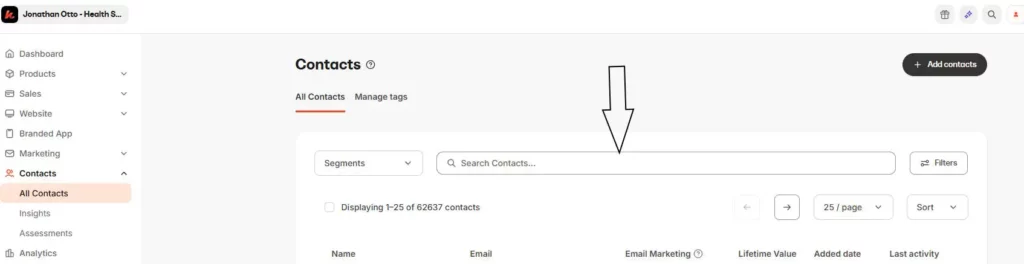
3 Click View
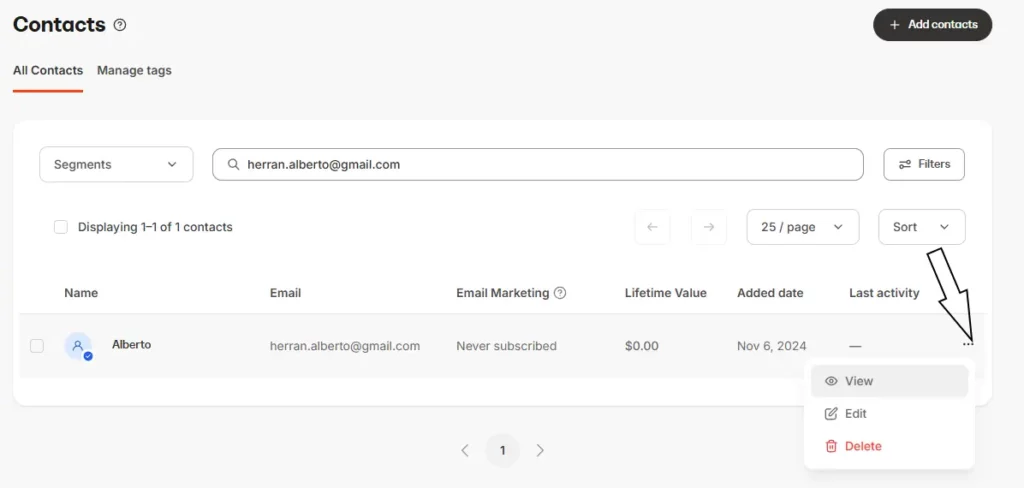
4 Under More Actions, click Grant Offers.
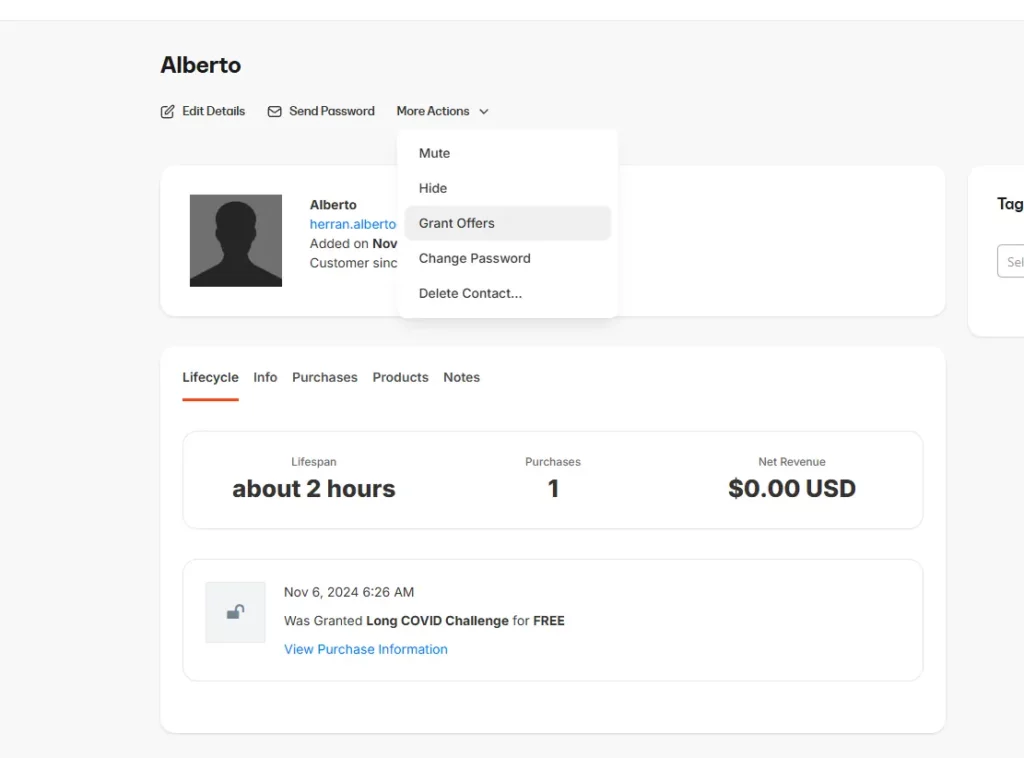
5 On the Search Bar, type in the product that you want to give access to, select the product then click Save.

CS team Tech team

Post navigation

How to send the Health Secret Speaker Consent and Release Form for signature
Live Agent – How to check missed calls

Related Posts

Live Agent – How to check missed calls

https://support.healthsecret.com/agent/index.php#login 3 Click the customized filter, uncheck the answer and press apply.

How to Add Two-Factor Authentication in WordPress

Everyone who has access to the Stores must use Add Two-Factor Authentication. Login to the store. Click on icon/name. Scroll to the bottom until you find Two-Factor Options Set Time Based One-Time Password (TOTP) as Primary method You can use any APP, such as Google Authenticator Scan the QR code with your APP Insert the […]

How to unsubscribe a user

Go to the Unsubscribe channel in Slack Write the email address of the user you want to unsubscribe. Just an email address and nothing else. You will receive a response whether your user has been successfully unsubscribed. If a user is not found, they may not be in our lists or have been unsubscribed before. […]

Copyright © 2026 Team Health Secret | Marvel Blog by Ascendoor | Powered by WordPress.